Turn Markdown Into a Presentation-Grade HTML Document: Five Styles, Then Your Own
Pick one of five presentation styles, change only what you care about to make it yours, and export one self-contained HTML page — no CSS, no build step.
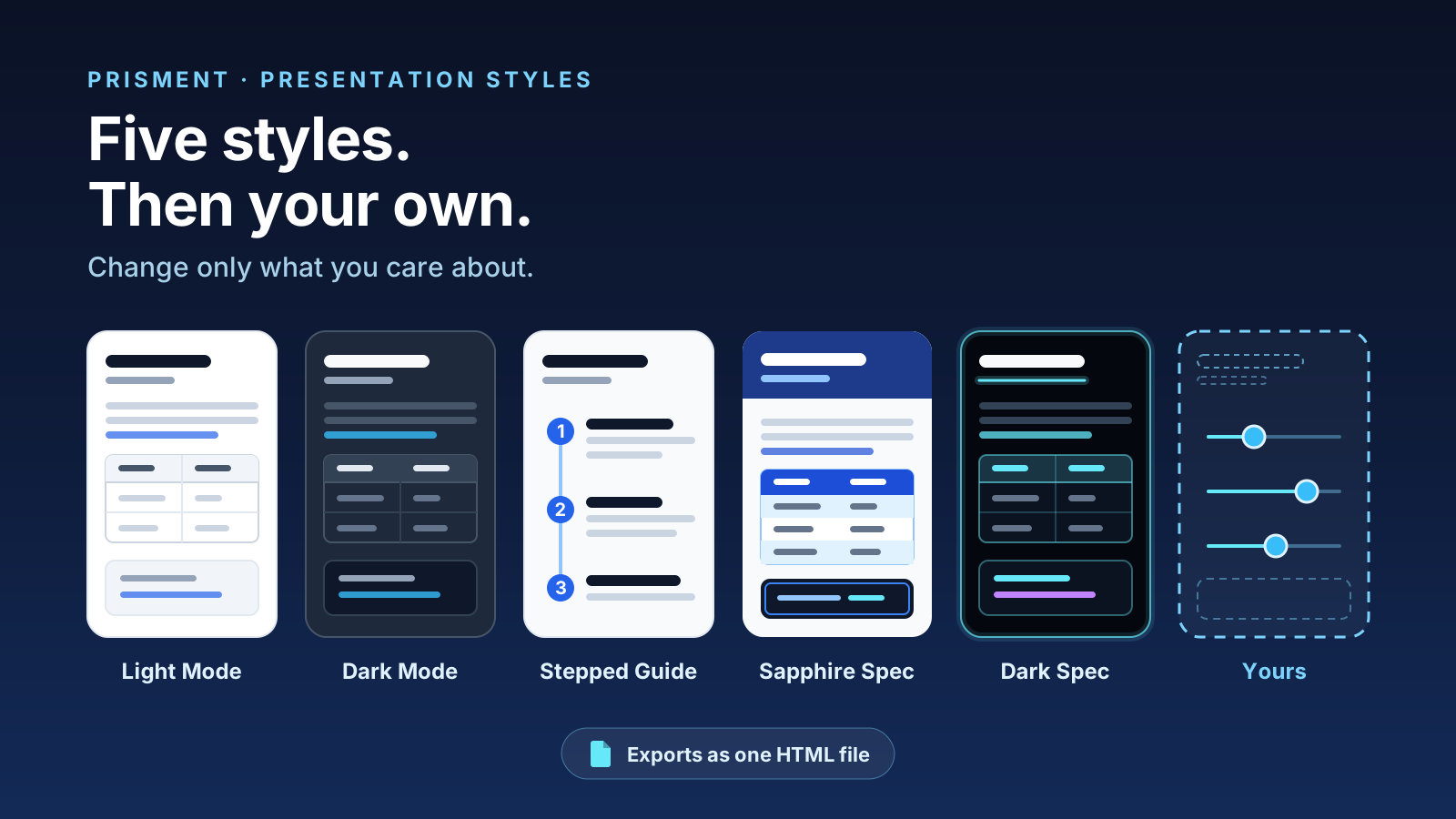
Open the file, pick one of five presentation styles, and export one HTML page — and when none of the five is yours, change only the values you care about and keep the result as a style of your own. LLMs write raw Markdown because it is cheap; a stakeholder judges a deliverable by how it opens. Everything below runs on your device, with no stylesheet to write and no build step.
1. Which of the five styles fits the reader?
Sapphire Spec suits technical specifications, Stepped Guide procedures, Light Mode paper, and Dark Mode or Dark Spec reading on a screen. Switching changes nothing in the file; the Style menu in the header applies it at once, and an export carries whatever is on screen.
| Style | Reach for it when | Character |
|---|---|---|
| Light Mode | Printing, minimal publishing | A plain web document — the starting point |
| Dark Mode | Documentation read on screen | A documentation-site dark theme, quiet blue accent |
| Stepped Guide | Onboarding and procedures | A timeline axis with numbered step markers |
| Sapphire Spec | Specifications and API docs | Deep blue accents, banded tables, an inset frame in code blocks |
| Dark Spec | Late-night reading | A sleek dark layout with glowing accents |
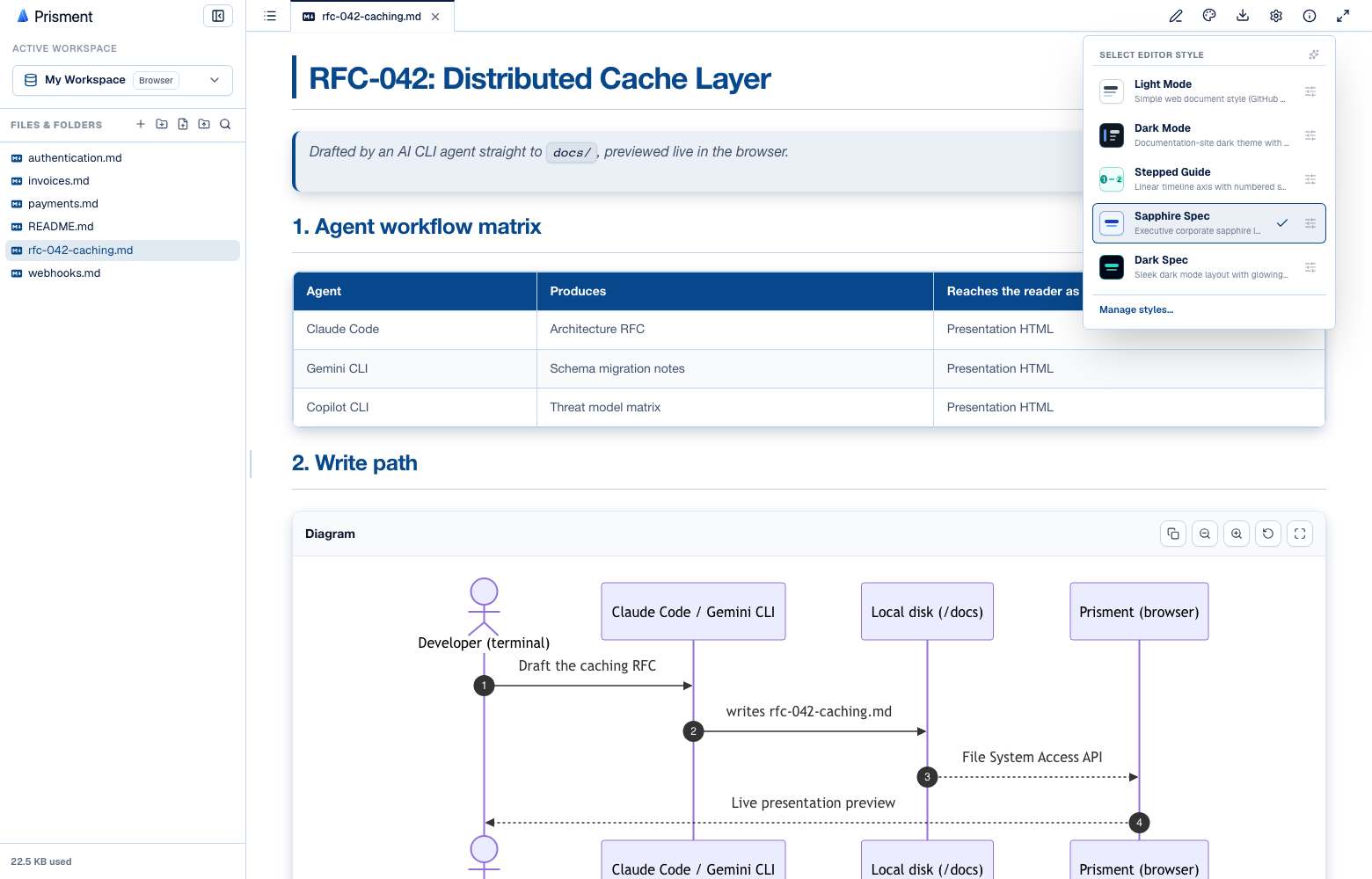
Whatever the style, the same plain GFM renders: tables, task lists, collapsible sections, syntax-highlighted code with a Copy button, live Mermaid diagrams and KaTeX math. The Markdown reference lists every element.
2. How do you make a style your own?
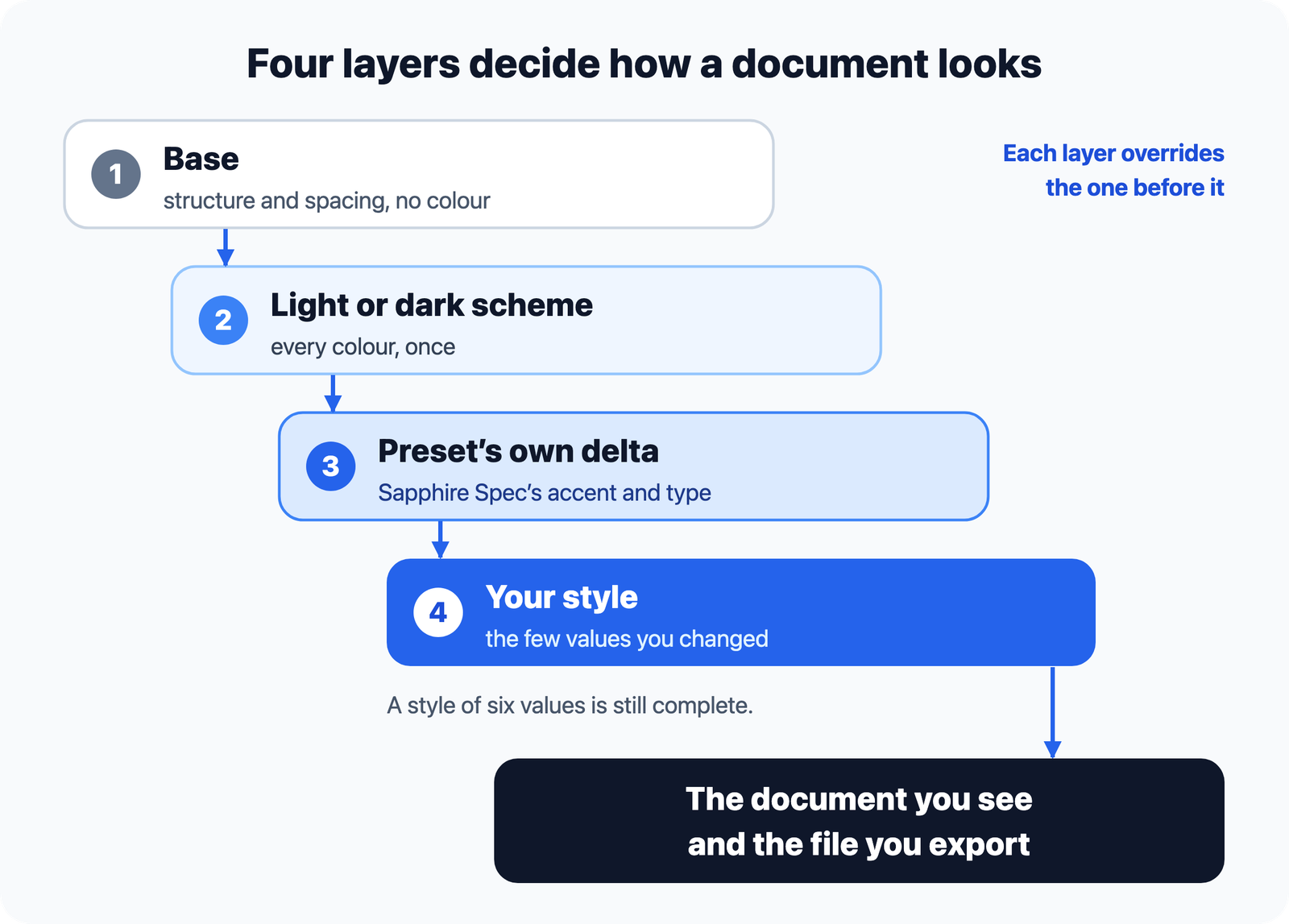
A custom style is a delta over a preset, never a stylesheet from scratch: you press the customize control in the Style menu, change the few things you care about, and inherit everything else. A style of six changed values is still a complete style, and improvements to the preset still reach it.
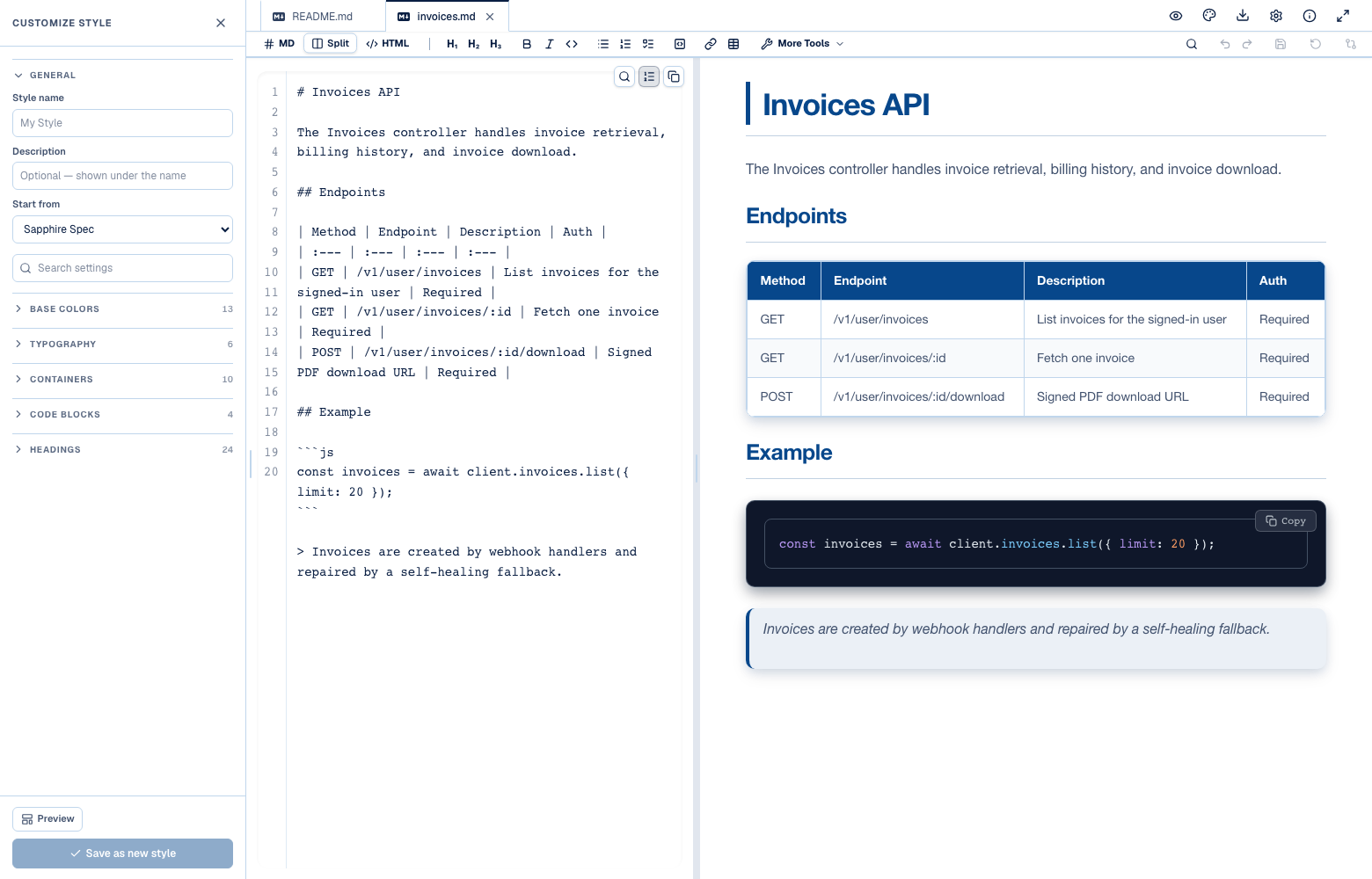
- Light or dark, on any preset. The first control swaps the whole palette underneath, so "Sapphire Spec, but dark" is one click.
- One accent colour sets six values — the fill, hover, soft tint, strong step and a contrast colour for text on top, computed so an unreadable chip is not a state you can reach.
- Every heading level has its own decoration, colour, size and optional numbered step.
- Preview swaps your document for a sample holding every element a style can change.
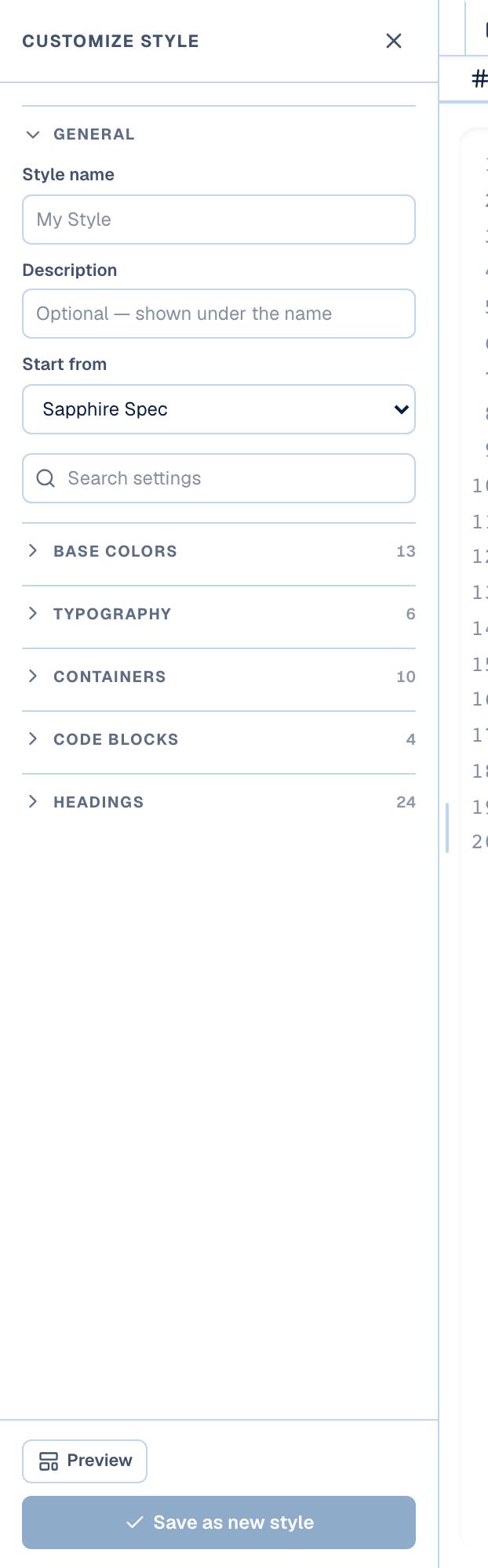
Every control, group and option is in the guide: The style customizer.
3. Where does your style travel?
A finished style can be saved in your browser, exported as a .json file, and carried inside every HTML page you export. The third is what lets a recipient see your colours without ever opening Prisment.
- Save it. Name the style and press Save; it joins the Style menu beside the presets, for every document on this device.
- Share it as a file. In Settings → Document Style, Export on a style saves a
.jsonyou can commit beside your docs or send to a colleague, and Import a style file… brings one in. - Send a document. An exported page embeds the style, so it looks the same on a machine that has never seen Prisment.
4. How do you export the document?
Click Export, choose HTML Page, and you get one .html file carrying the document, its style and the diagram runtimes. Send it by email, attach it to a chat, or host it on any static host.
- Open the file in Prisment — drag it in, or mount the folder it lives in.
- Pick a presentation style from the Style menu.
- Click Export in the top navigation bar.
- Choose HTML Page on the Single File tab and save the file.
That is the one-document case. A whole folder is a different question — independent pages, a browsable wiki, or the sources — answered in sharing Markdown as HTML, a wiki or a PDF.
5. Try it
Open the workspace, switch the Style menu through the five presets on the sample project plan, then press Customize. Free, no account, and nothing you open is uploaded. If the Markdown comes from a terminal agent, mount its folder first; to edit it in the browser, see the Markdown editor with live preview.
Frequently asked questions
How do I turn Markdown into a presentation-ready HTML document?
Open the Markdown file in Prisment, pick one of the five presentation styles — Light Mode, Dark Mode, Stepped Guide, Sapphire Spec or Dark Spec — then choose Export and the HTML Page option. You get a single .html file carrying the finished document, its styling and the diagram runtimes, with no build step and nothing for the reader to install.
Do Mermaid diagrams and KaTeX math survive the export?
Yes. Mermaid blocks render as interactive diagrams with copy, zoom, reset and fullscreen controls, and $$…$$ math renders through KaTeX. Both are carried into the exported HTML page rather than flattened into images.
Can I brand Prisment documents without writing CSS?
Yes. Open the Style menu, press the customize control on any preset, and change colours, fonts, container chrome and per-heading rules through the panel. A custom style is a delta over a preset, so you change only what you care about and inherit the rest; no stylesheet is written or maintained.
Can I share a custom style with my team?
Yes, two ways. In Settings, Export on a style saves a portable .json file you can commit beside your docs or send to a colleague. And any document you export to HTML carries the style inside the file, so the recipient sees your exact colours and fonts without opening Prisment.
Does Prisment upload my Markdown to a server to convert it?
No. Parsing, syntax highlighting, KaTeX and Mermaid rendering all run inside your browser or the desktop app, so the document is never uploaded. The hosted website separately uses aggregate analytics, which the privacy policy describes.